As applications become more distributed, managing sensitive credentials securely becomes harder. A modern application may communicate with databases, cloud platforms, APIs, internal services, and third-party systems. Each connection can require passwords, API keys, certificates, tokens, or encryption keys.
Managing these credentials through configuration files and environment variables may work for a small application. But when an organization operates multiple applications, Kubernetes clusters, CI/CD pipelines, and cloud services, secrets can quickly become difficult to control.
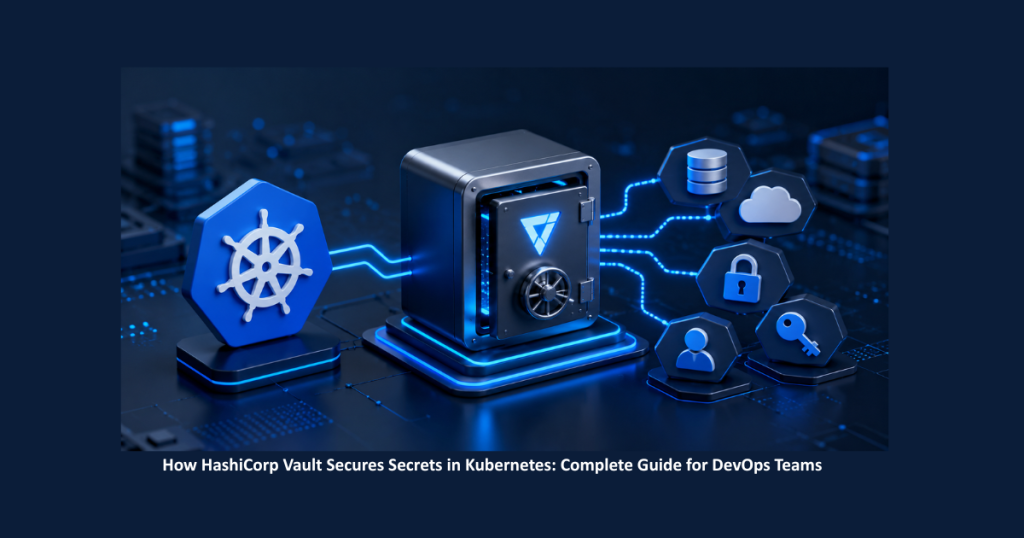
HashiCorp Vault provides a different approach. Instead of allowing sensitive credentials to spread across infrastructure, Vault creates a centralized security layer where applications can authenticate themselves and access only the information they are permitted to use.
The result is a security model based on identity, authorization, least privilege, and controlled access rather than simply trusting a server or network.
The Growing Challenge of Application Secrets
Secrets are an unavoidable part of modern infrastructure.
Applications commonly require:
- Database credentials
- API keys
- Cloud credentials
- TLS certificates
- Service-account credentials
- Third-party tokens
- Encryption keys
The problem begins when these values are copied into multiple locations.
A database password might appear in a Kubernetes manifest, Helm configuration, CI/CD pipeline, deployment script, backup, or developer workstation. Even after removing it from one location, previous versions or copies may still exist elsewhere.
This increases the security surface.
The more locations containing a secret, the more systems and accounts must be protected. The situation becomes even more complicated when credentials need to be rotated or revoked.
This is why secrets management should be considered part of the infrastructure architecture, alongside managed infrastructure services, rather than simply another configuration task. . Vault addresses this problem by providing a centralized platform for managing sensitive information.
Moving From Passwords to Identity
One of the most important ideas behind Vault is changing how applications obtain credentials.
A traditional approach might effectively say:
This server is trusted, so give it the password.
Vault promotes a different model:
This workload has a verified identity, and that identity has permission to access this secret.
This distinction is especially important in cloud-native environments.
Kubernetes workloads can be created, destroyed, restarted, and moved between nodes. An IP address or physical server is therefore not necessarily a reliable identity.
Instead, workload identity can be combined with authentication and authorization to determine exactly what an application is allowed to access.
This creates a foundation that fits naturally with Kubernetes security and Zero Trust principles
How Vault Works With Kubernetes
Kubernetes already provides an identity mechanism through ServiceAccounts. Vault can use this identity when authenticating workloads.
A simplified workflow looks like this:
Application Pod → ServiceAccount → Vault Authentication → Vault Role → Policy → Secret
When an application starts, Kubernetes provides the workload with its ServiceAccount identity.
The application then authenticates to Vault using that identity. Vault validates the identity and maps it to a Vault role.
The role determines which policies apply, while the policies define the secret paths and operations the workload is allowed to use.
This creates a clear connection between the workload and its authorized resources.
Most importantly, applications do not need to carry a permanent Vault token inside their containers.
Authentication Does Not Mean Unlimited Access
A common misunderstanding in security systems is assuming that successfully logging in means having access to everything.
Vault separates these two concepts.
Authentication: Who are you?
Authorization: What are you allowed to access?
For example, a payment application may successfully authenticate with Vault but receive permission only to read payment-related secrets.
It should not automatically have access to:
- HR credentials
- Database administration credentials
- Other application secrets
- Vault administration settings
Vault policies provide this permission boundary.
An analytics application can receive a separate policy that allows it to read only analytics-related secrets.
This approach follows the principle of least privilege: applications receive the minimum access necessary to perform their functions.
Why Least Privilege Matters
Suppose ten applications use the same database password.
If that password is exposed through one application, the potential impact extends beyond that single workload. Multiple applications may now be affected.
A policy-based model allows access to be separated.
Instead of:
One shared credential → Many applications
the architecture can move toward:
Individual workload identity → Appropriate policy → Specific secrets
This reduces unnecessary access and makes permissions easier to reason about.
Least privilege is particularly important in environments where many teams and applications share infrastructure.
Vault Is More Than a Password Store
It is easy to think of Vault as a secure password manager for servers, but its capabilities go much further.
Vault can manage different types of security workflows, including static secrets, dynamic credentials, certificates, and encryption operations.
Static Secrets
The Key/Value secrets engine can store credentials that applications need to retrieve securely.
This provides a centralized location rather than requiring applications to maintain sensitive values independently.
Dynamic Secrets
Dynamic secrets provide a different model.
Instead of giving an application a permanent database credential, Vault can generate temporary credentials with a limited lifetime.
The basic process is:
Application → Vault → Temporary Credential → Database
When the credential’s lease expires, it can be revoked.
This limits the useful lifetime of a compromised credential and reduces dependence on long-lived passwords. Dynamic credentials can be especially useful for databases and supported cloud platforms.
Managing Certificates With Vault PKI
Passwords are only one category of sensitive information.
Modern applications also depend on certificates for TLS, internal services, client authentication, and mutual TLS.
Manually creating and distributing certificates becomes increasingly difficult as the number of services increases.
Vault’s PKI capabilities can help organizations automate certificate issuance and lifecycle management.
Instead of treating certificates as long-lived files that are manually copied between systems, organizations can establish a more controlled certificate lifecycle.
This can be particularly useful for internal service-to-service communication.
Protecting Encryption Keys With Transit
Applications sometimes need to encrypt sensitive data but do not necessarily need to manage encryption keys directly.
Vault’s Transit secrets engine provides an alternative.
An application can send data to Vault for an encryption operation. Vault performs the operation while keeping the underlying key material under its control.
The application receives ciphertext rather than directly managing the encryption key.
This approach can simplify application-level encryption and centralize key-management responsibilities.
Building a Highly Available Vault Cluster
For production environments, Vault itself needs to be designed for reliability.
Vault’s integrated storage uses Raft for storage and high availability.
A three-node cluster can have one leader and two followers. If one node becomes unavailable, the remaining nodes can maintain quorum.
However, high availability should never be confused with backup.
Consider an administrator accidentally deleting an important secret. If the change is replicated across all three nodes, every node can contain the deletion.
High availability helps protect against infrastructure failure. It does not automatically provide historical recovery.
That is why a production deployment needs both HA and backups.
Backup and Disaster Recovery Are Essential
A production Vault environment should have a defined backup strategy.
Important considerations include:
- Regular backups
- Appropriate retention
- Restricted backup access
- Encryption
- Off-site storage
- Documented recovery procedures
- Restore testing
With Raft-based storage, snapshots can form part of the backup strategy.
But creating backups is only the beginning.
A recovery process should be tested periodically. A backup that has never been successfully restored is an assumption rather than a verified disaster recovery strategy.
A practical recovery process may involve deploying new infrastructure, configuring TLS, restoring the Vault state, validating authentication and policies, and finally confirming that applications can retrieve their required secrets.
Vault, GitOps, and Kubernetes Automation
Many modern Kubernetes environments use GitOps to manage infrastructure. This approach supports DevOps automation by connecting infrastructure configuration, Kubernetes deployments, and application delivery.
The basic workflow can look like:
Git → GitOps Controller → Kubernetes → Applications
Vault can operate alongside this workflow.
Git can describe infrastructure and application configuration, while Vault manages sensitive runtime information.
This separation is important because Git should not become a repository for plaintext production credentials.
Instead, sensitive information such as passwords, API keys, certificates, and dynamic credentials can remain under Vault’s control.
GitOps therefore does not mean every piece of configuration should be stored in Git. Sensitive values should be handled according to their security requirements.
Monitoring Vault as Critical Infrastructure
Deploying Vault is not the end of the security process.
Because applications may depend on Vault to obtain credentials, its availability and health need to be monitored.
Important areas include:
Availability: Can applications reach Vault?
Cluster health: Is the cluster healthy? Is quorum available?
Storage: Is persistent storage healthy and is there enough capacity?
Authentication: Are authentication failures increasing?
Performance: Are request latency and error rates increasing?
Certificates: Are important certificates approaching expiration?
Monitoring provides visibility into the security platform and can help identify problems before they become larger incidents.
Vault and the Zero Trust Security Model
Zero Trust is based on the idea that access should not automatically be granted because a system is located inside a trusted network.
Instead, access should be evaluated through identity, authentication, authorization, least privilege, and continuous verification.
Vault fits naturally into this model.
A workload does not receive a sensitive credential simply because it is running on a trusted server.
The process becomes:
Workload → Identity → Authentication → Policy → Authorized Secret
This approach provides a stronger security model for cloud-native environments where infrastructure is constantly changing.
Common Mistakes When Deploying Vault
Even a powerful security platform can be weakened by poor operational practices.
Some common mistakes include:
Using the Root Token Everywhere
The root token is extremely powerful. It should generally be reserved for controlled bootstrap or emergency recovery rather than everyday administration.
Giving Applications Too Many Permissions
If an application needs read access, it should not receive administrative capabilities.
Ignoring TLS
Sensitive information should be protected while it is being transmitted between applications and Vault.
Assuming HA Replaces Backups
Multiple nodes improve availability, but they do not automatically provide historical recovery.
Failing to Test Recovery
Disaster recovery should be validated before an actual disaster happens.
Treating Vault Like a Normal Application
Vault is a security infrastructure. Its deployment, maintenance, monitoring, and recovery require additional operational discipline.
When Should an Organization Consider Vault?
Not every small application necessarily requires a full Vault deployment.
However, as infrastructure becomes more complex, centralized secrets management becomes increasingly useful.
Organizations may benefit from a dedicated secrets-management platform when they have:
- Multiple applications
- Kubernetes environments
- Multiple databases
- Cloud credentials
- Numerous certificates
- CI/CD systems
- Service-to-service authentication
- Multiple development teams
- Compliance requirements
- A need for dynamic credentials
At this scale, secrets management is no longer just a configuration issue. It becomes an architectural and security concern.
Final Verdict
HashiCorp Vault provides a structured way to manage sensitive information in modern infrastructure.
Its value goes beyond storing passwords. Vault brings together identity-based authentication, authorization policies, dynamic credentials, PKI, encryption, audit logging, monitoring, and recovery practices.
The fundamental idea is simple: applications should not automatically receive sensitive information because they are running on a particular server or inside a particular network.
Instead, access should be based on verified identity and clearly defined permissions.
For Kubernetes and cloud-native environments, this model can provide a strong foundation for implementing least privilege and Zero Trust principles while reducing the number of places where sensitive credentials are stored.
Ultimately, effective secrets management is about more than keeping secrets hidden. It is about knowing who can access them, why they need access, how long that access should last, and how the activity can be audited afterward.
That is what makes Vault an important security control layer for modern infrastructure.
Need help implementing HashiCorp Vault, Kubernetes security, DevOps automation, or cloud infrastructure management?
The experts at 24×7 Server Management can help you design, deploy, and manage secure, scalable environments for modern applications. Contact us today for a consultation.
Frequently Asked Questions
HashiCorp Vault in Kubernetes is a centralized secrets management solution that allows applications to securely authenticate and access sensitive information based on verified workload identity and defined policies. HashiCorp Vault secures Kubernetes secrets by authenticating workloads through Kubernetes ServiceAccounts and applying Vault roles and policies. This ensures applications receive only the secrets they are authorized to access. Organizations use HashiCorp Vault for Kubernetes secrets management to reduce the exposure of passwords, API keys, certificates, and other credentials while supporting centralized access control, least privilege, and secret rotation. HashiCorp Vault dynamic secrets are temporary credentials generated for applications when needed. These credentials have a limited lifetime and can be revoked when their lease expires, reducing the risks associated with long-lived passwords. Yes. HashiCorp Vault for production Kubernetes environments can support high availability, backups, dynamic credentials, PKI, encryption, authentication, and policy-based access. Production deployments should also include monitoring, tested recovery procedures, and appropriate backup strategies.1. What is the HashiCorp Vault in Kubernetes?
2. How does HashiCorp Vault secure Kubernetes secrets?
3. Why use HashiCorp Vault for Kubernetes secrets management?
4. What are dynamic secrets in HashiCorp Vault?
5. Is HashiCorp Vault suitable for production Kubernetes environments?