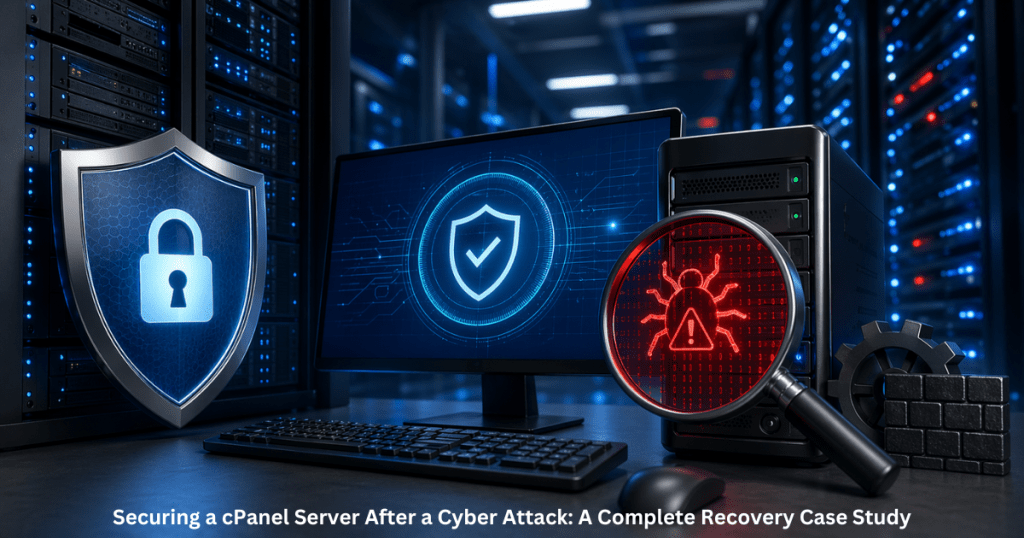
A compromised cPanel server can cost businesses thousands of dollars in downtime, lost customer trust, and emergency recovery expenses. According to IBM’s Cost of a Data Breach Report, the global average cost of a data breach reached $4.45 million, while 60% of small businesses shut down within 6 months of a major cyberattack.
If your cPanel server gets hacked, immediate action is critical.
Securing a cPanel server after a cyber attack means identifying the breach, isolating the infected environment, removing malware, patching vulnerabilities, restoring clean backups, and implementing long-term hardening measures to prevent future attacks.
This guide walks through a real-world recovery case study and explains exactly how businesses can protect their cPanel server infrastructure after an attack.
Why Securing a cPanel Server After an Attack Matters
A cyber attack on a cPanel server doesn’t just affect one website.
It can impact:
- Multiple hosted domains
- Email services
- Customer databases
- WHM configurations
- DNS services
- SSL certificates
- Payment gateways
- Client trust and SEO rankings
Even a single malware infection can lead to:
- Blacklisted IP addresses
- Google security warnings
- Spam email reputation damage
- SEO traffic loss
- Revenue decline
- Compliance risks
For startups, enterprises, and DevOps teams, fast recovery is not optional, it is business-critical.
Common Signs Your cPanel Server Has Been Compromised
Before recovery begins, you must recognize the warning signs.
Key Indicators of a Hacked cPanel Server
1. Unexpected High CPU or RAM Usage
Malware, crypto miners, and spam scripts often consume excessive resources.
2. Unknown Admin Users in WHM
Unauthorized root access or suspicious cPanel accounts are major red flags.
3. Spam Emails Being Sent
Compromised mail queues usually indicate account abuse or script exploitation.
4. Website Redirects or Defacement
Hackers may inject malicious code that redirects users to harmful sites.
5. Google Blacklisting
If browsers show “This site may be hacked,” urgent action is required.
6. Modified System Files
Unexpected changes in:
- /etc/passwd
- Apache configs
- SSH settings
- Cron jobs
- DNS zones
often indicate intrusion.
Real-World Case Study: Recovering a Compromised cPanel Server
Client Profile
Industry: eCommerce
Hosting Type: Dedicated Linux cPanel Server
Traffic: 150,000+ monthly visitors
Issue: Malware injection + spam attack + server slowdown
What Happened
The client delayed a critical PHP update for several months.
Attackers exploited an outdated plugin and gained access through a vulnerable web application. Within 48 hours:
- 37 websites were infected
- 12,000+ spam emails were sent
- IP reputation dropped significantly
- Google flagged 9 domains
- CPU usage reached 98%
Business impact:
- Sales dropped by 42%
- Customer complaints increased
- Hosting provider issued suspension warning
Immediate recovery was necessary.
Step-by-Step Recovery Process for a cPanel Server
Step 1: Isolate the Server Immediately
First, stop further damage.
Actions taken:
- Disabled outbound email temporarily
- Restricted SSH access
- Suspmbled suspicious accounts
- Blocked malicious IPs
- Enabled emergency firewall rules
Why it matters:
This prevents attackers from expanding access or continuing abuse.
Step 2: Perform Full Malware and Rootkit Scan
Tools used:
- ClamAV
- Maldet (Linux Malware Detect)
- rkhunter
- chkrootkit
- ImunifyAV
Scanned areas:
- Public HTML directories
- User accounts
- Cron jobs
- Temporary folders
- Mail queues
- Root-owned suspicious files
Result:
Over 2,300 malicious files were detected.
Step 3: Audit Access Logs and Identify Entry Point
Critical logs reviewed:
- Apache access logs
- cPanel access logs
- WHM login history
- SSH authentication logs
- Exim mail logs
Root cause discovered:
A vulnerable outdated WordPress plugin with weak admin credentials allowed unauthorized access.
This step is essential because deleting malware without finding the source leads to reinfection.
Step 4: Restore Clean Backups
Never restore infected backups.
The recovery team:
- Verified backup integrity
- Used backups from 14 days before infection
- Restored only clean website files
- Revalidated databases before deployment
Result:
Business operations resumed safely without reintroducing malware.
Step 5: Reset All Credentials
Every credential was changed:
- Root password
- WHM access
- cPanel users
- MySQL passwords
- FTP accounts
- Email passwords
- API keys
- SSH keys
Multi-factor authentication was enabled for WHM.
Step 6: Harden the cPanel Server
This is where long-term security begins.
Implemented security measures:
- CSF firewall configuration
- ModSecurity WAF rules
- SSH port hardening
- Brute-force protection
- Kernel updates
- PHP version upgrades
- CageFS isolation
- Disabled unused services
- Secure backup policies
This reduced future attack surface significantly.
cPanel Security Tools Comparison
Best Security Solutions for cPanel Server Protection
| Solution | Best For | Key Benefit | Limitation |
| CSF Firewall | Network protection | Strong firewall control | Manual tuning needed |
| Imunify360 | Malware prevention | Full-stack protection | Premium pricing |
| ModSecurity | Web app firewall | Blocks attack patterns | Requires rule updates |
| ClamAV | Malware scanning | Reliable file detection | Basic compared to advanced tools |
| Maldet | Linux malware detection | Excellent for shared hosting | Needs regular monitoring |
Best practice: Use layered security, not a single tool.
Best Practices for Long-Term cPanel Server Security
Pro Tips from Server Security Experts
Keep Everything Updated
This includes:
- cPanel/WHM
- PHP versions
- CMS platforms
- Plugins
- Kernel patches
- Apache/Nginx configs
Enable Offsite Backups
Never rely only on local backups.
Use:
- AWS S3
- Google Cloud Storage
- Remote backup servers
Disable Password-Only SSH Login
Use SSH keys instead.
Monitor Mail Queues Daily
Spam attacks often start here.
Implement 24/7 Server Monitoring
Downtime detection alone is not enough.
You need:
- intrusion monitoring
- performance alerts
- file integrity monitoring
- login anomaly detection
Restrict Root Access
Only senior admins should have root privileges.
Manual Management vs Managed cPanel Server Services
| Factor | Manual Management | Managed cPanel Server Services |
| Response Time | Slow during emergencies | Immediate expert action |
| Security Expertise | Depends on internal team | Specialized professionals |
| Monitoring | Often reactive | Proactive 24/7 |
| Patch Management | Frequently delayed | Scheduled and automated |
| Cost of Downtime | High | Significantly reduced |
| Compliance Support | Limited | Stronger operational control |
For growing businesses, managed services often reduce both risk and operational cost.
Future Trends in cPanel Server Security
What Businesses Should Prepare For
Cyber threats are evolving fast.
Emerging trends include:
AI-Powered Threat Detection
Automated anomaly detection is replacing manual monitoring.
Zero Trust Security Models
Trust no user or process by default.
Ransomware Targeting Hosting Servers
Shared hosting and cPanel environments are becoming high-value targets.
Compliance-Driven Security
GDPR, PCI-DSS, and SOC 2 are forcing stronger server governance.
Automated Incident Response
Self-healing systems are becoming a major competitive advantage.
Businesses that invest early will recover faster and reduce breach costs.
Why Professional cPanel Server Management Delivers Better Results
After a cyber attack, speed matters.
A delayed response can mean:
- permanent SEO loss
- customer churn
- financial damage
- legal exposure
Professional cPanel server management ensures:
- faster incident response
- proactive security monitoring
- expert malware removal
- stronger compliance
- predictable uptime
Instead of reacting to attacks, businesses stay protected before problems happen.
That is the real competitive advantage.
CTA: Protect Your cPanel Server Before the Next Attack
One security breach can undo years of business growth.
If your business relies on a cPanel server, prevention is far cheaper than emergency recovery.
Our expert cPanel server management team helps businesses with:
- 24/7 monitoring
- malware cleanup
- proactive hardening
- performance optimization
- disaster recovery planning
- complete server security management
Don’t wait for downtime, blacklisting, or lost revenue.
Secure your infrastructure today with expert-managed cPanel server protection built for growth.
Frequently Asked Questions
Common signs include spam emails, unknown admin users, high CPU usage, malware warnings, website redirects, and suspicious log activity. Immediately isolate the server by restricting access, disabling outbound abuse, and preventing further spread before starting malware cleanup. There is no single best tool. Most businesses use a combination of CSF Firewall, ModSecurity, Imunify360, Maldet, and ClamAV for layered protection. Yes, but recovery becomes significantly harder, slower, and riskier. Clean offsite backups are strongly recommended. Security audits should be performed monthly, with continuous monitoring for logs, patches, vulnerabilities, and suspicious activity.1.How do I know if my cPanel server is hacked?
2.What is the first step after a cPanel server cyber attack?
3.Which tool is best for cPanel server security?
4.Can I recover a hacked cPanel server without backups?
5.How often should cPanel servers be audited?